Choose an app
Select an installed attendance app or a shortcut you have reviewed and authorized.
A simple Android scheduling assistant
Choose an installed app, set a time, and Clock-In Assistant will try to open it on schedule. You stay in control and complete the clock-in yourself.
Clock-In Assistant never submits attendance, presses buttons in another app, or bypasses employer, device, biometric, location, or security checks.
How it works
Select an installed attendance app or a shortcut you have reviewed and authorized.
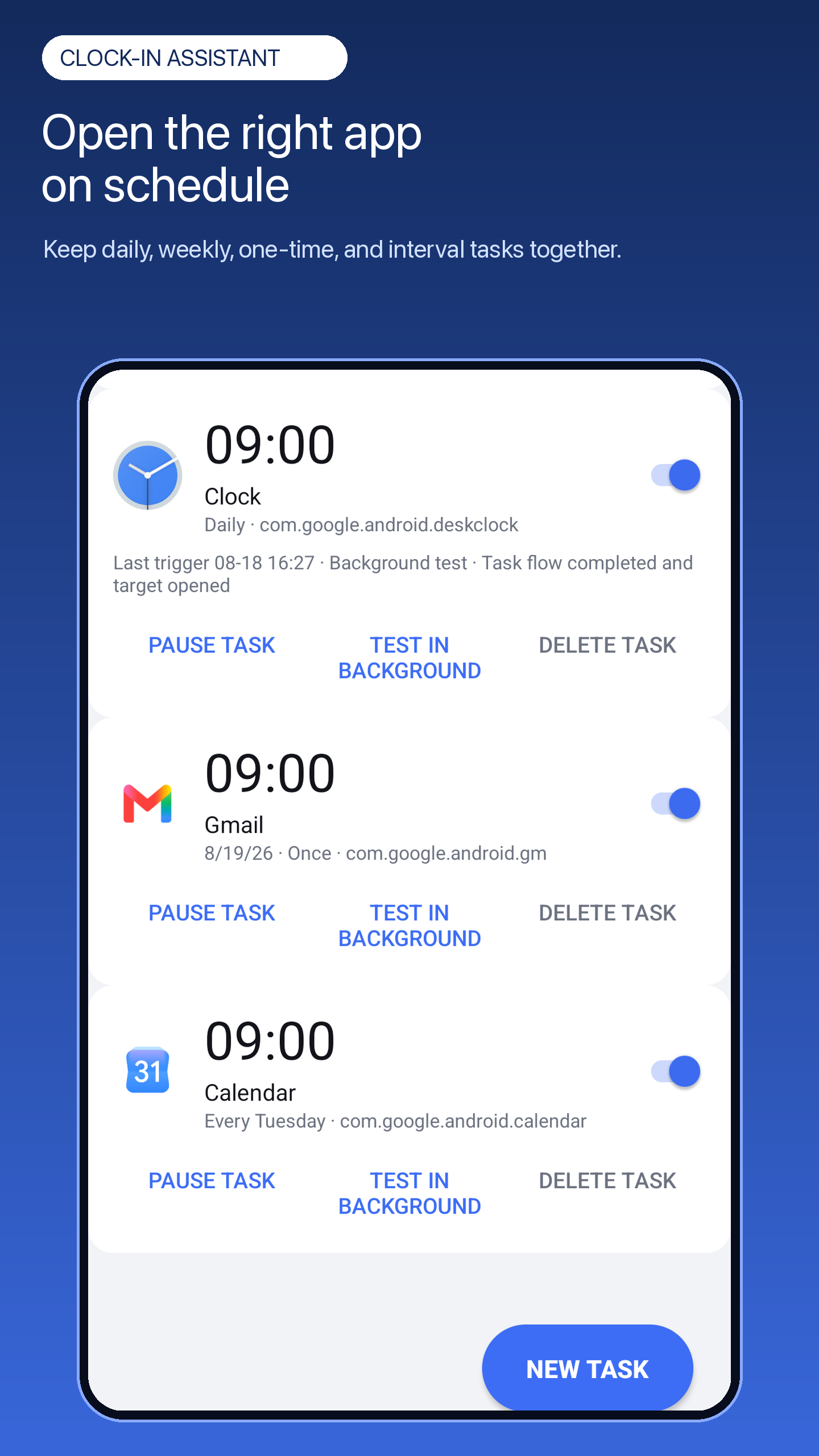
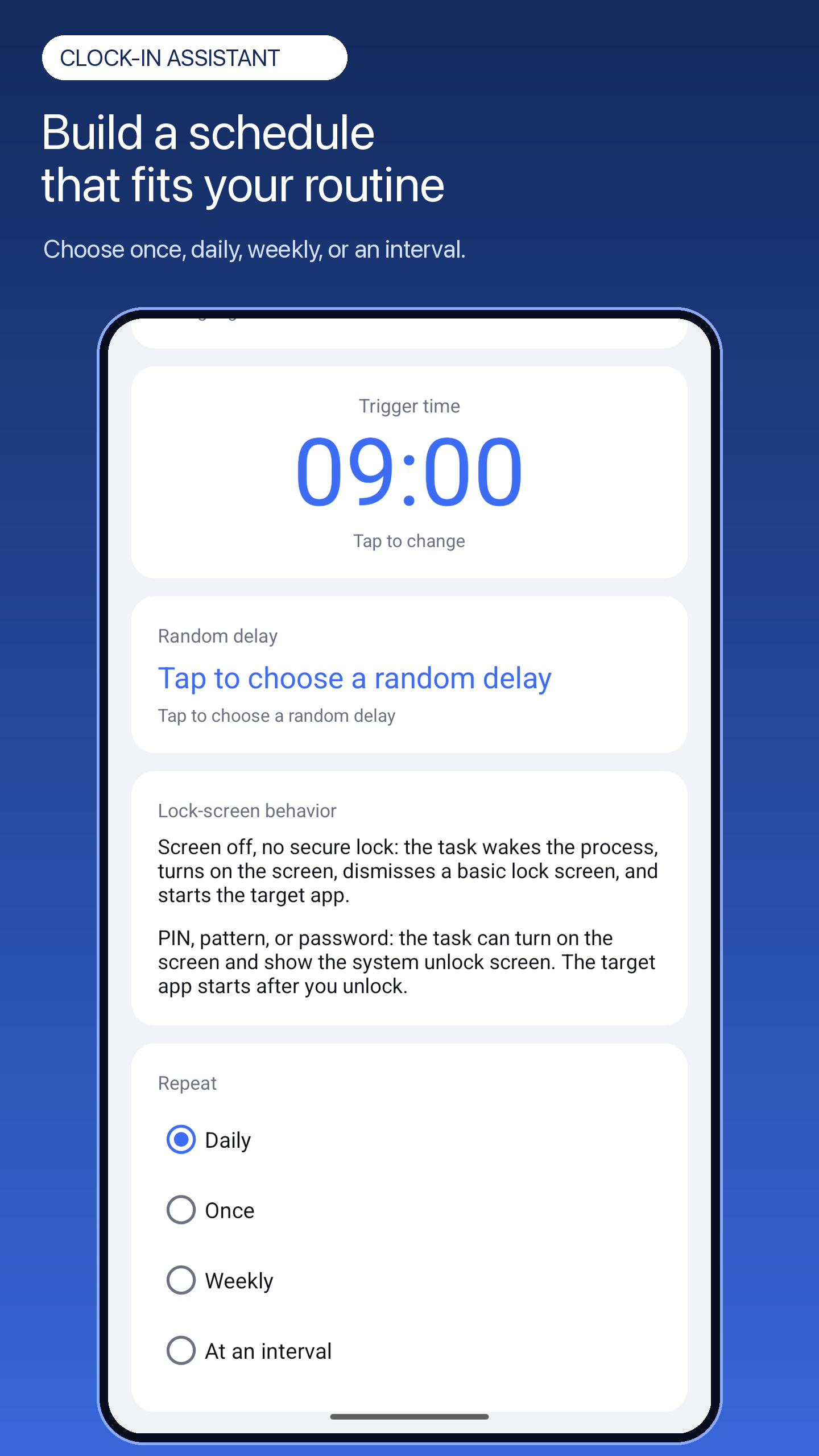
Create one-time, daily, weekly, or interval schedules, with an optional random delay.
When Android allows it, the selected app opens. Review its information and complete the required action yourself.
Built for everyday routines
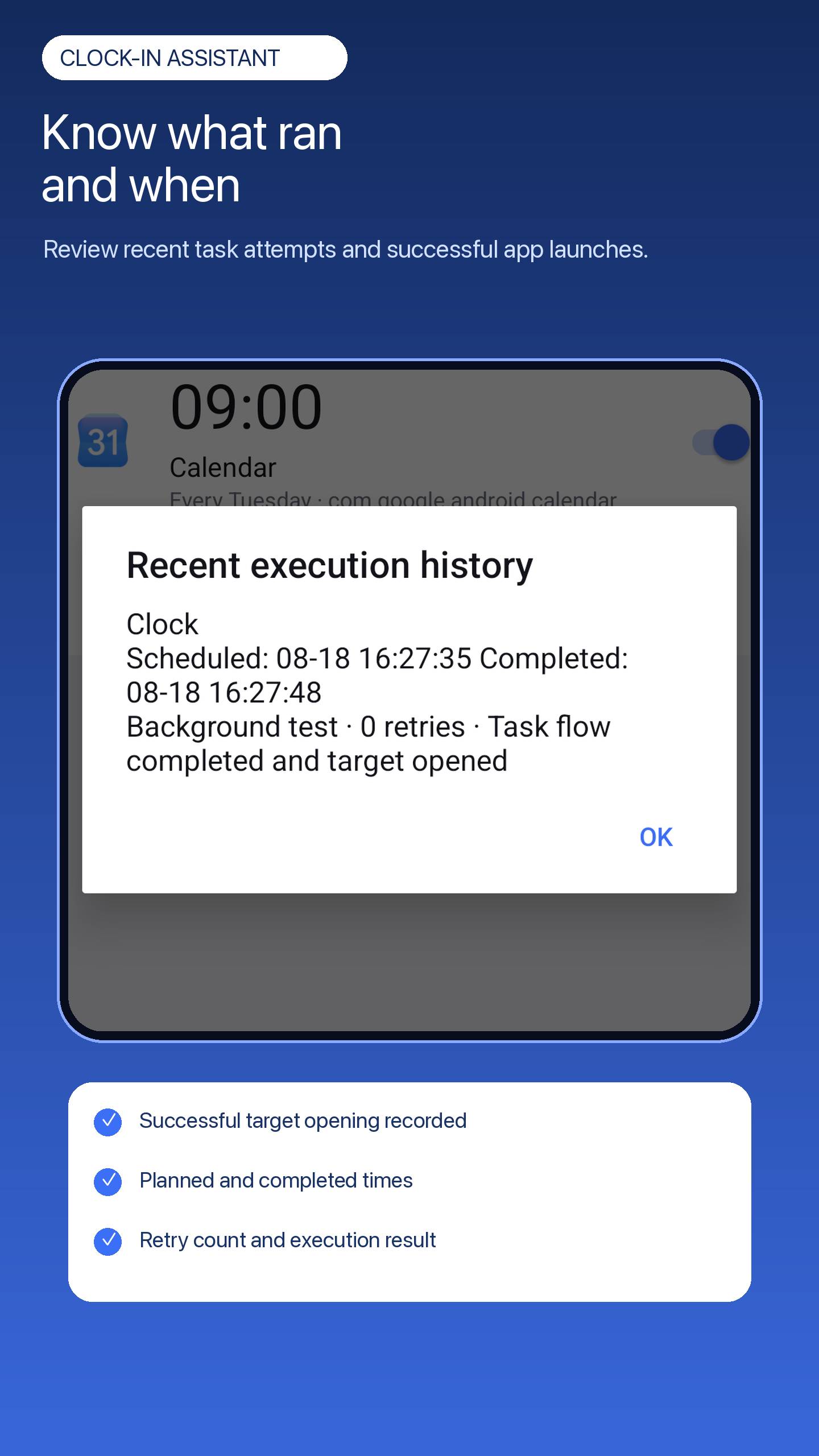
Schedules and execution history stay clear and reviewable. If Android blocks a background launch, the app can provide a notification so you can continue manually.
One-time, daily, weekly, and interval options for different work patterns.
Review recent attempts and understand whether the target app was opened.
Add a user-controlled delay when a fixed minute is not necessary.
Use a notification when system restrictions prevent a direct background launch.
Inside the app
Responsible use
Do not use Clock-In Assistant to falsify attendance, deceive an employer or another party, impersonate someone else, or violate workplace policies, contracts, or applicable local laws.
You are responsible for checking the target app, completing any required action yourself, and confirming that your attendance record is accurate.
Ready when your routine begins